Android Rooting: What It Is and How to Do It
What is Root?
Section titled “What is Root?”Android is based on Linux. On Linux and other UNIX-like operating systems, the root user is equivalent to the Administrator user on Windows. The root user has access to the entire operating system and can do anything. By default, you don't have root access to your own Android device, and certain apps won't function without root access.
How to Root?
Section titled “How to Root?”Rooting is often a simple and quick process. However, there's no single standard way to root every device. We'll cover a few useful tools that will root a large majority of devices here. If your device isn't supported, check out the XDA Developers forum and look at the subforum for your specific model of device. This is a good place to start finding out how other people have rooted your device.
Thankfully, there are some tools that make this process easy for the vast majority of Android phones and tablets out there. If one of these tools doesn't work, you can likely find instructions specific to your individual device online. You'll just have to do some searching. Bear in mind that you'll need a root process that works on your device and its current version of the Android operating system. Rooting instructions for older versions of Android on that specific device may not work.
Root Methods
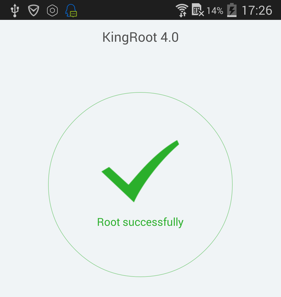
Section titled “Root Methods”1. Kingroot
Section titled “1. Kingroot”Kingroot: one-click rooting tool, no custom recovery required.
2. Kingo Root
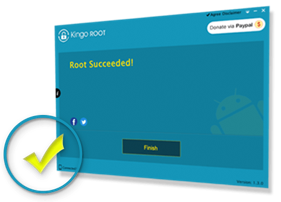
Section titled “2. Kingo Root”Kingo Root: Windows desktop rooting tool. Requires USB debugging.
3. VRoot
Section titled “3. VRoot”VRoot: one-click rooting app by the Mgyun team.
4. Towelroot
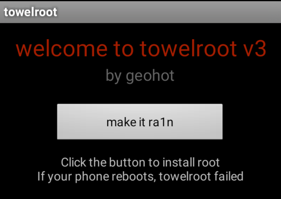
Section titled “4. Towelroot”Towelroot: APK-based rooting tool by GeoHot. Uses a kernel exploit patched after June 3, 2014.
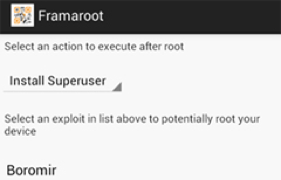
5. Framaroot
Section titled “5. Framaroot”Framaroot: one-click rooting APK. Supports Android 2 through 4.
After Rooting
Section titled “After Rooting”Once your device is rooted, you can use GPS JoyStick in System Mode for more reliable location mocking. Note: System Mode only works on Android 9 and below. Android 10 locked down the internal interface it relies on. For Android 10+, use the Smali method instead. See How to Make GPS JoyStick a System App for legacy device steps, or read the setup guide for all available configuration options.